


Summary
- Xbox Series X/S owners can now enjoy a free Xbox 360-themed dynamic background for a nostalgic gaming experience.
- The iconic Xbox 360 Blades dynamic background pays tribute to the influence of the Xbox 360 era on modern gaming.
- While the new background is purely cosmetic and doesn't affect the dashboard functionality, it evokes memories of classic Xbox 360 gaming.
Microsoft prompted nostalgic feelings in the Xbox player community when it debuted an Xbox 360-themed dynamic background for its current-gen consoles. Interested players can apply the new visuals to their Xbox Series X/S dashboard for free.
Though Microsoft's first game console was the original Xbox, the Xbox 360 era is, by some measures, where the Xbox brand exercised some of the greatest influence on the console scene. Despite infamous hardware troubles like the Red Ring of Death, the Xbox 360's popularity helped cement into place the contemporary structure of online play with Xbox Live, a service that virtually the entire game industry pivoted to emulate, so much so that even rival services like PS Plus, Nintendo Switch Online, and others sought to incorporate features it pioneered.

Xbox 360 Gamer Hit With Red Ring of Death After 17 Years
A classic Xbox 360 console is finally hit with the dreaded Red Ring of Death 17 years after the console originally released.
Microsoft chose to celebrate that influence by debuting a new cosmetic enhancement for Xbox Series X/S owners. It takes the form of a new dynamic background based on the original Xbox 360 "Blades" user interface. The Xbox 360 Blades dynamic background calls to mind the appearance of the 360's launch-era dashboard and is a beloved sight among veteran Xbox fans who remember using the Blades to launch classic Xbox 360 launch titles like King Kong.
How to Apply the Xbox 360 Blades Dynamic Background for Xbox Series X/S
The Xbox 360 Blades dynamic background consists of a green center field with the iconic blades on the sides of the screen. For those who own an Xbox Series X or S, applying it is as simple as opening the menu and digging through the available options.
- Bring up the menu using the Xbox button on the controller.
- Open the "Profile and System" submenu and enter Settings.
- Under the "General" settings tab, select "Personalization."
- Enter the "My Background" menu, select "Dynamic Backgrounds."
- Choose "Xbox 360 Blades" from the "Featured" tab.
Unfortunately for those hoping for a true return of the iconic Xbox 360 Blades dashboard, the new dynamic background is merely cosmetic and doesn't alter the way the dashboard is used in any way. In fact, the blades don't actually move or display any info on their own, simply appearing behind the current Xbox Series X/S user interface, which functions the same.
Noticing this lack of functionality, some users nostalgic for the original Xbox 360 interface called on Microsoft to bring it back in a truer fashion, as a "real" celebration of the 360's influence. Others were reminded of the fact that Microsoft will soon close the 360 store permanently on July 29, 2024. Prior to that, the company is giving away free classic Xbox 360 games for players to use on their Xbox Series hardware via the backwards compatibility feature.
- Brand
- Microsoft
- Original Release Date
- November 22, 2005
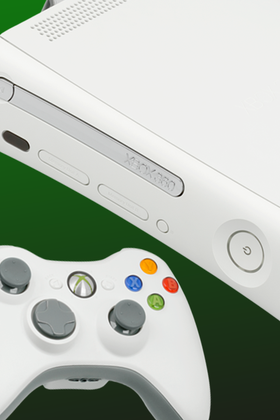
The Xbox 360 was Microsoft's successor to its original Xbox video game console. The seventh-generation device was built as a direct competitor to consoles like Sony's PS3 and Nintendo's Wii.
- Hardware Versions
- Xbox 360