


The Nintendo Switch 2 significantly improves upon its predecessor. Even without including the technical and aesthetic advantages, it features a variety of new attributes that distinguish it, including the GameChat feature.
GameChat allows up to 12 friends to play multiplayer games together in a group. It makes the Switch 2 comparable to the PlayStation and Xbox by offering online gameplay with friends. Additionally, it includes video chat support for four players at the same time using a compatible USB camera. Getting online to chat with friends involves a few steps, and this guide will walk you through them.

Best New Features On The Switch 2, Ranked
The Nintendo Switch 2 a blend of familiarity and novelty; here are some of its most notable new features and system upgrades.
GameChat Requirements For The Switch 2
The Nintendo Switch 2 enhances convenience with quick access to features like GameChat, even adding a "C" chat button below the home button. However, before you get started, you must follow a few steps to get online with friends:
- A smartphone to download the required Nintendo apps.
- GameChat is free from launch, but from March 31st, 2026 onwards, you need a Nintendo Online Switch Membership.
- Parents are required to set up parental settings by downloading the Nintendo Switch Parental Controls App for children under the age of 16 to register on their behalf.
- Video chat users will need a compatible webcam, either the official Nintendo Camera or a third-party.
How To Set Up GameChat On The Switch 2

- Press the "C" button on the Nintendo Switch to begin the preparations and select Next.
- On the next screen, you'll be asked to "Download the Nintendo Switch Parental Controls App", as at least one supervised user is required to use GameChat.
- Scan the code on the next screen with your smartphone or visit the App Store on your iPhone or Google Play on your Android phone.
- Once you've installed the Parent App, launch it and sign in with your details.
- To sync the app with your Nintendo Switch 2, you will receive a 6-digit registration code. Enter this code on your Switch and press Link.
- Select Next and then enter your phone number to register it to your Nintendo Account, and enter it on your phone after getting redirected by the QR code on the Switch 2.
- Once your phone is registered, you can select the friends you want to approve for GameChat, and once your approvals are finished, GameChat will be ready on your phone.
- Press the C button to either "Create Chat" or view your "Chat List," and you begin chatting using the built-in microphone on the Switch 2.
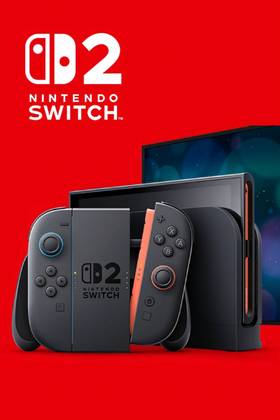
- Brand
- Nintendo
- Original Release Date
- June 5, 2025
- Original MSRP (USD)
- $449.99
- Operating System
- Proprietary
- Resolution
- 1080p (handheld) / 4K (docked)
- HDR Support
- Yes
- Storage
- 256GB internal / MicroSD
- Wi-Fi
- Yes
- Ports
- 2x USB Type-C / 3.5mm audio
- App Store
- Nintendo eShop