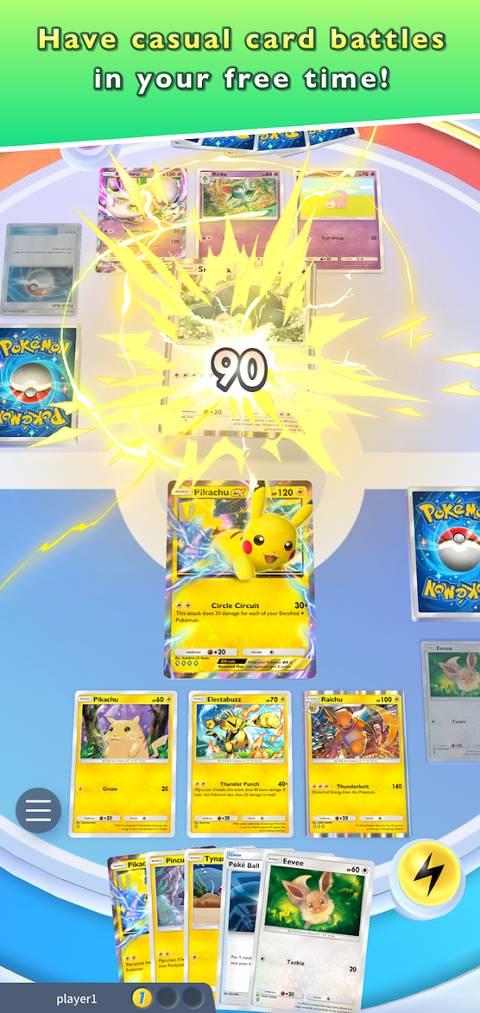
Pokemon TCG Pocket puts a fresh twist on the classic Energy mechanic from the physical Pokemon TCG. In this version, Energy cards are removed entirely from the gameplay. Instead, the game automatically generates Energy for players—similar to action-point mechanics seen in games like Marvel Snap. This change simplifies combat and aligns with the absence of Prize Cards. However, it might also confuse beginners, so we've created this comprehensive guide to help you understand everything about Energy in Pokemon TCG Pocket.

Pokemon TCG Pocket: How to Change Playmats, Sleeves, and Coins
Changing your deck’s sleeves, playmats, and coins adds an extra layer of customization to Pokemon TCG Pocket’s already immersive experience.
What Is Energy in Pokemon Pocket?

In Pokemon TCG Pocket, Energy is the mana or action point. To attack, use a Pokemon’s ability, or retreat to the bench, you must attach the required amount of Energy to its card. Energies come in different types, and each card has specific Energy requirements for its actions. As a rule, stronger attacks demand more Energy points.
Energy Zone
Unlike the physical Pokemon TCG, Pokemon TCG Pocket doesn’t use Energy cards. Instead, it features a new mechanic called the "Energy Zone," which generates action points for players. At the start of each round, the Energy Zone produces one Energy. If your deck has multiple Energy Types, the generated Energy will be determined by RNG. In short, you can’t choose which Energy Type you get unless your deck is assigned to just one Energy Type.
Energy Type
There are eight Energy Types in Pokemon Pocket: Grass, Fire, Water, Psychic, Darkness, Lightning, Fighting, and Metal. Additionally, there is a special category of Pokemon known as "colorless." These cards can work with any of the Energy Types mentioned above.
How Can You Change a Deck’s Energy Type?

1. Go to the ‘Battle’ menu.
2. Tap ‘Decks’ in the bottom-left corner.
3. Select ‘My Decks.’
4. Choose the desired deck (if you don’t have one, you should build a deck first).
5. Tap ‘Change’ at the top-right corner.
6. Select ‘Energy.’
7. Customize or change your deck’s Energy.
You can assign up to three different Energy Types to each deck. These Energies are exclusive to the deck, affecting only that specific lineup. If you assign more than one Energy Type, the Energy you receive at the start of each round will be random. For META decks in Pokemon Pocket, sticking with one Energy Type is recommended to ensure consistency.
The best way to balance Energy distribution is by including a few colorless Basic Pokemon in your deck. These Pokemon offer alternative evolution paths or defensive playstyles without requiring you to add different Energy Types.
How Can You Get Extra Energy in a Match?

In Pokemon Pocket’s Genetic Apex expansion, the only way to obtain more than one Energy point per turn is by playing Energy provider cards. Cards like Misty, Gardevoir, or Magneton have abilities that can give you more than one Energy point or type. And it’s likely that future expansions will introduce more cards with Energy-enhancing abilities.
Are There Special Energies in Pokemon Pocket?

The current expansion of Pokemon Pocket does not include any Special Energy cards. In the physical Pokemon TCG, these cards offer additional abilities, such as double points or free retreats. However, with Pocket’s new Energy Zone mechanic, it's unlikely that Special Energy cards will be introduced to the game.


- Released
- October 30, 2024
- Developer(s)
- DeNA, Creatures Inc.
- Publisher(s)
- The Pokemon Company
- Multiplayer
- Online Multiplayer
- Cross-Platform Play
- Yes