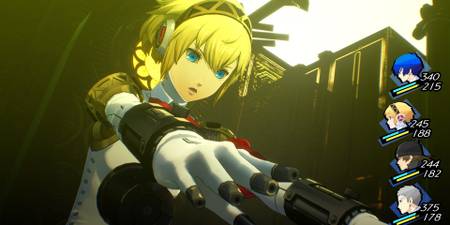
Persona 4 and Persona 5 have been out for years now, and both games have catchy battle music on par with the themes of Persona 3 Reload. That's why Atlus has included the ability to swap in the P4 and P5 battle themes, at least if you have the right DLC. The P4 music themes are part of a preorder bonus, and the P5 themes are a day-one DLC.
However, Atlus hasn't made it easy for players to activate this special DLC. Doing so is a two-step process, and this guide will take you through these steps so you can enjoy this bonus.

Persona 3 Reload: How to Get Twilight Fragments (& All Twilight Fragment Locations)
Early on into Persona 3 Reload you will find a mysterious new consumable item known as a Twilight Fragment.
How to Activate DLC in Persona 3 Reload

Once you get into your new dorm room, Persona 3 Reload will tell you to check the closet to activate any DLC you own. The closet is the big white cabinet to the left of the door. The reason the game uses the closet for this is because much of the day-one DLC consists of outfits from the other entries in the series.
You only need to interact with the closet once to activate the soundtrack DLC. However, if you get more DLC for the game in the future, you'll need to interact with the closet again to add it to your current playthrough. On the other hand, DLC you've already activated, including BGM DLC, should still be active during future playthroughs.
How to Change the Battle Music

While you might expect the BGM options to be under "Sounds," it's not. To find the right menu, follow these steps:
- Select "Config."
- Select "Game System Settings," and then scroll down to the bottom.
- Directly above "Change Difficulty" is the option "Change Battle BGM." Press left or right to go to the submenu.
The "Default" option includes all the regular Persona 3 Reload battle BGM, with all the themes playing during the appropriate combat types. You can then replace them with a specific theme from either Persona 4 or Persona 5, including unique battle themes like "A New World Fool." You can also listen to these themes from this menu, or you can select "Random" and have the game play any of your available BGM options.
Each theme has the symbol of the Persona game's high school next to the name. Persona 4 themes have the three-pointed star symbol, and Persona 5 themes have the shield with three arrows.
One last thing to note is that "Change Battle BGM" doesn't show up when you check "Config" from the main menu. It only appears during a game, though once the DLC is active it can show up the moment you take control of the main character. This also means that each save file can have its own Battle BGM setting.

Persona 3 Reload

- Released
- February 2, 2024


WHERE TO PLAY


- ESRB
- Mature 17 / Blood, Partial Nudity, Sexual Themes, Strong Language, Violence
- Developer(s)
- P-Studio
- Platform(s)
- PlayStation 5, PlayStation 4, Xbox Series X, Xbox Series S, Xbox One, Nintendo Switch 2, PC
- Genre(s)
- JRPG, RPG, Life Simulation, Strategy