


Summary
- Xbox gamers using Microsoft Rewards can now redeem Xbox Gift Cards in custom amounts up to $100.
- Custom redemption can be done in the "Rewards" hub by picking "Xbox Gift Card" and selecting "Custom."
- Recent changes also include the ability to redeem points for Xbox Game Pass Ultimate.
Xbox gamers who use Microsoft Rewards can currently claim Xbox Gift Cards with custom amounts instead of being limited to the previous $5 increments. The new feature was introduced after the recent Xbox console update, and it can be very useful for gamers who use the Microsoft Rewards program often and have many points to cash out.
Microsoft Rewards is a popular loyalty program devised by Microsoft, which offers users the ability to gain points for several activities, such as playing Xbox games, buying products on the Microsoft Store, or searching using Bing. The points can then be used to claim discounts, which can be employed in paying for services such as Xbox Game Pass Ultimate or purchasing new games, for example.

Microsoft Rewards Points Can Be Redeemed for 3 Classic Comedy Movies
Microsoft Rewards lets users redeem their points in various ways, and now they can use them to grab three highly popular classic comedy movies.
After the recent May update for Xbox, it was announced that Gift Cards can now be redeemed using custom values, as long as at least $5 is being redeemed. This is a stark contrast to before, when users could only do it in $5 increments. To redeem an Xbox Gift Card using Microsoft Rewards, gamers should go to the “Rewards” hub, catalog, and then “Xbox Gift Card.” After that, they can either write the amount or pick the “Custom” option. If selecting Custom, any value between $5 and $100 can be redeemed. To finish the process, it’s only necessary to click on Redeem Reward, and the value will go to the user’s account.
How to Redeem Custom Xbox Gift Card Amounts Via Microsoft Rewards
- Go to the "Rewards" hub, then the catalog, and pick "Xbox Gift Card."
- Either select the amount or pick "Custom," picking any amount between $5 and $100.
- Select “Redeem Reward.”
- The card will automatically be added to the user's account balance.
This was not the only recent positive change in Microsoft Rewards. Last month, for example, Microsoft Rewards brought back the ability to redeem points for three months of Game Pass Ultimate. Three months cost 35,000 points for Level 2 users, or 42,000 for standard ones, a value that was seen as adequate by most gamers.
The change was a good move to satiate the needs of a user base that has been unhappy with some elements of Microsoft Rewards lately. For instance, the overall price of Xbox Game Pass went up on Microsoft Rewards in February 2025, something that made many gamers unhappy with the service.
Also, multiple users were unhappy with Microsoft Rewards earlier this year, as the company put some limitations on earning points via Bing searches to deter spam. This also affected legitimate users negatively, as they were wrongly flagged for abuse. Hopefully, Microsoft will keep pushing positive changes to services such as Microsoft Rewards, rewarding users for their loyalty with more options and fewer limitations on how to use the service.
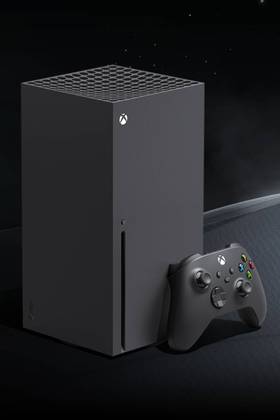
- Brand
- Microsoft
- Operating System
- Proprietary (Windows-based)
- Storage
- 1TB WD SN530 NVMe SSD
- VR Support
- No
- Resolution
- 720p - 4K UHD
- App Store
- Microsoft Store