


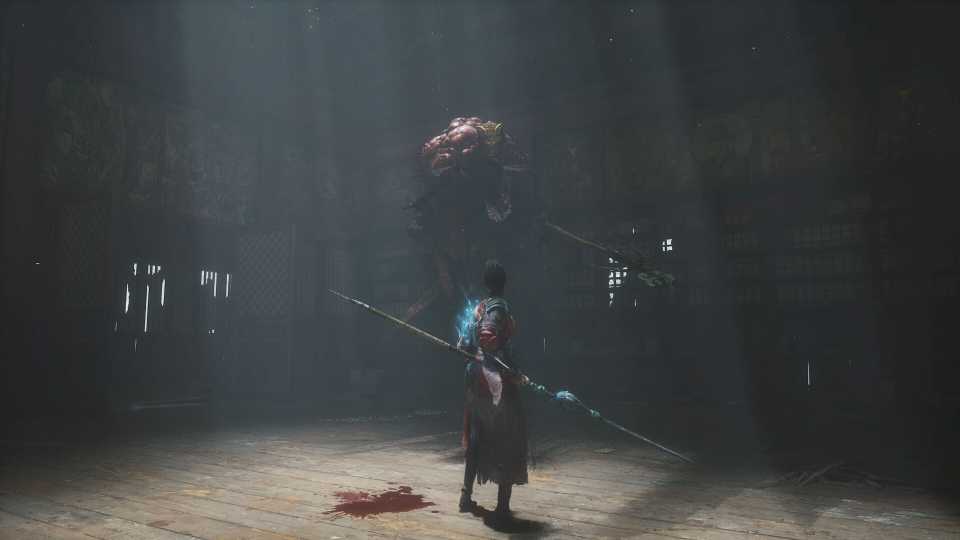
Wuchang: Fallen Feathers’ core gameplay loop is fantastic, earning it a place among the best Soulslikes of 2025. That said, players, especially those on PC, like to use mods to customize the experience to suit their personal preferences.
Fortunately, Wuchang: Fallen Feathers is made in Unreal Engine 5, a known quantity among modders. While certainly not the friendliest of engines for modding, those experienced in the field have a wealth of experience to fall back on owing to other UE5 games like Black Myth: Wukong, Clair Obscur: Expedition 33, and Palworld. Certain basic mods can even be ported wholesale from one UE5 title to another; a one-size-fits-all solution that kick-starts the scene as soon as a game releases.

Wuchang Fallen Feathers: All Cloudspire Shrine Locations
There are 12 Shrines in Cloudspire, the second area in Wuchang: Fallen Feathers, and this guide will help players find them all.
Best Mods for Wuchang: Fallen Feathers
Mods for Wuchang: Fallen Feathers include gameplay tweaks, quality-of-life additions, and general optimizations, allowing players to tailor the game as needed. Here are some of the best mods currently available for the title.
Only the PC version of Wuchang: Fallen Feathers supports mods
No Fall Damage
A simple mod that disables all fall damage whenever Wuchang falls from a high place. Useful for preventing accidental deaths.
Skip Intro Logos
Automatically skips most introductory logo reels that appear every time the game starts up, saving roughly 8 seconds.
Simple Realistic for Wuchang
A ReShade to make the look and feel of the game more grounded, with better cinematic lighting and post-processing effects. It also removes the yellow tint present in the vanilla version.
Madness Tweaks
Madness Tweaks alters how the madness mechanic in Wuchang: Fallen Feathers works. The mod includes three variations. The first option prevents the Inner Demon from spawning when the madness meter reaches full, the second option prevents madness build-up on death, and the third option combines the first two.
Ultimate Engine Tweaks
Ultimate Engine Tweaks aims to fix Wuchang: Fallen Feathers’ PC performance issues by introducing a curated engine.ini file meant to offer broad optimization across the board. The result is reduced stuttering, decreased input latency, improved picture clarity, and overall better performance.

Wuchang: Fallen Feathers is Telling the Same Soulslike Story as Lies of P
Wuchang: Fallen Feathers has launched to a strong overall reception, echoing the success of Lies of P just a few short years ago.
How to Install Mods in Wuchang Fallen Feathers

A large number of mods for the game rely on a mod called Wuchang Mod Enabler to function. Without this prerequisite in place, there is no way to bypass the in-game restriction on loading unsigned mods.
How to Install Wuchang Mod Loader
- Visit the Wuchang Mod Loader page on Nexus Mods.
-
Download the appropriate version from the ‘Files’ tab.
- Wuchang Mod Enabler (Microsoft Store) is for Game Pass users.
- Wuchang Mod Enabler (Steam) is for Steam users.
-
Extract the ZIP file and place its contents in the game’s install folder.
- Steam: /steamapps/common/Wuchang Fallen Feathers/
- Game Pass: /XboxGames/Wuchang PCGP/Content/
How to Install Wuchang: Fallen Feathers Mods
- Download the mod from the ‘Files’ tab on Nexus Mods.
-
Create a folder named “~mods” (without quotes) in the following directory:
- Steam: /steamapps/common/Wuchang Fallen Feathers/Project_Plague/Content/Paks/~mods
- Game Pass: /XboxGames/Wuchang PCGP/Content/Project_Plague/Content/Paks/~mods
- Download and extract the desired mod from the Nexus Mods page.
- Place the .pak file in the ~mods folder.
And that’s it! The mod should be installed and active in-game.
Certain mods (like ReShades) are not installed using the method detailed above. Check the “Description” tab on mod pages for detailed installation instructions.


Wuchang: Fallen Feathers



-
 OpenCritic Reviews
- Top Critic Avg: 76 /100 Critics Rec: 70%
- Released
- July 24, 2025
- ESRB
- Mature 17+ / Blood and Gore, Language, Suggestive Themes, Violence, In-Game Purchases
- Developer(s)
- Leenzee
- Publisher(s)
- 505 Games







WHERE TO PLAY






- Engine
- Unreal Engine 5
- Genre(s)
- Action RPG, Soulslike, Hack and Slash
