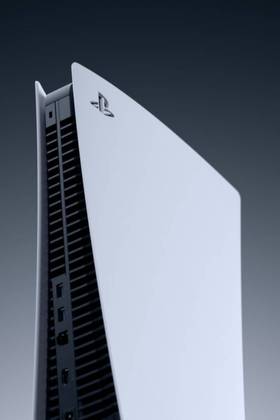
PlayStation Welcome is a new feature for the PlayStation 5 that is the new first screen you see when you turn on your PlayStation. This screen is very customizable, letting you add or remove widgets to prioritize seeing what you feel is the most important.
PlayStation Welcome also has a background that can be changed to just about any photo you want, though this background is seen behind your current widgets and will fade away once you move off the PlayStation Welcome icon. While this isn't the same theme system as the PlayStation 4; players can customize it and at least set up a background that will be visible every time you turn on your PlayStation.

The Rarest Classic PlayStation Games (& How Much They're Worth)
Better check out your old PS1 collection to see if you're sitting on a goldmine!
How To Change Your PlayStation Welcome Background
PlayStation Welcome will be the first icon that you're looking at every time your PlayStation 5 turns on, and pressing down on the left joystick or d-pad will fully open up the Welcome page. To change your background, open up the Welcome page and press up twice to be hovering over the edit button. Move over to the right two times to select the background option to open up the three options you have for backgrounds. Whichever background or photo you select with stay as the background on the Welcome page until another one is selected.
The widgets displayed can be turned on or off to only display the ones you want, but three always need to be turned on. For those wanting to prioritize seeing the background over the widgets, turn the following three on:
- Battery life
- Trophies
- Store
While these three will appear as smaller widgets along the left side of the screen, it will leave the majority of your screen open to show off the background.

The Best PlayStation Plus Games You Should Be Playing Right Now
From big exclusives to overlooked gems, here are the top PlayStation Plus games you should download next on your PS5.
How To Get Other Background On PlayStation Welcome
The easiest and most straightforward way to get a photo from a game as the background is to take it yourself using the screenshot option in any game. The third open in the backgrounds menu is your media gallery, letting you pick any picture you have taken as your background. This option is not only the easiest but guarantees the best quality of photos.
Also using screenshots, you can go into the PlayStation store and screenshot promotional photos from games to use them as a background, which will also always guarantee a high-quality photo.
You can find pictures on a PC and download them to a USB before plugging that USB into your PlayStation. When plugged in, you'll have another option in the Media Gallery app that lets you open up pictures on the USB and screenshot them to use them as your background, though this method often leads to lower-quality pictures unless you grab the right one online with your PC.