


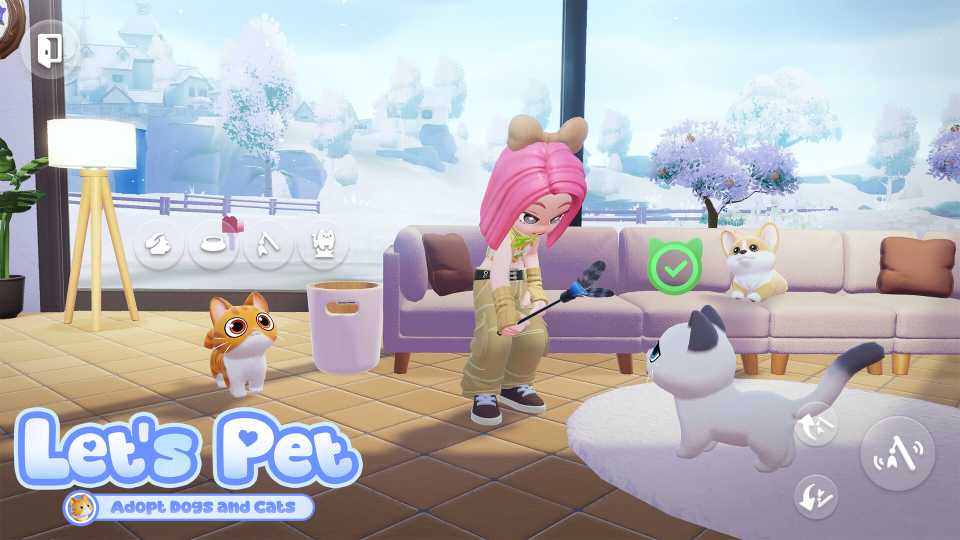
Adopting a pet in Heartopia is one of the most heartwarming milestones in the game, but it’s not something you can rush into on day one. Heartopia doesn’t hand you a companion right away. Instead, it encourages you to settle into town life, learn the core systems, and build routines. Once you’re ready, you can welcome a loyal dog or a cozy cat into your home plot. Read on to learn how to adopt pets in Heartopia.

Where to Find All Mushrooms in Heartopia
Knowing how to find mushrooms in Heartopia makes it so much easier to complete your collection or grab last-minute ingredients.
How to Unlock Pets in Heartopia

To adopt your first pet in Heartopia, you need to reach D.G. Member Level 12. Once you do, the game will unlock a quest that leads you to Mrs. Joan and her Adoption Center.
Before pet care becomes available, you need to have already unlocked the five basic hobbies in Heartopia: Cooking, Gardening, Insect Catching, Bird Watching, and Fishing. Then, visit the Adoption Center. Mrs. Joan will ask for a Hobby Expansion Ticket. Handing this over unlocks Cat Caring first, and Dog Caring follows shortly after. You’ll have enough tickets to unlock both.
You don’t have to adopt both a cat and a dog immediately. You can just go home and come back later.
How to Get a Cat in Heartopia
To adopt a cat, speak to Mrs. Joan and choose the option about cats. You’ll be guided toward the three available cats in the adoption center. Walk up to a cat and interact with them. A bubble will appear above their head.
Tap on the bubble to view their ID card, which shows:
- Breed
- Gender
- Personality traits (Energetic, Clingy, Sensitive, Sociable, Indifferent, etc.)
If you like the cat, hit the Adopt button. If not, close the window and move on to the next one. Once adopted, your cat is instantly transported to your home plot. You can track them anytime using the Pet Tab on your in-game smartwatch.
How to Get a Dog in Heartopia
Adopting a dog follows the same steps as adopting a cat, with one small twist: you need to start the cat dialogue first. After Mrs. Joan explains cats, talk to her again and ask about dogs.
Then, walk up to any of the three dogs to view their:
- Breed
- Gender
- Personality traits
When you find your perfect pup, tap Adopt. Your dog will be sent straight to your home, and you can track them through the Pet Tab.
As you level up your Cat Caring and Dog Caring hobbies, Mrs. Joan gradually trusts you with more cuddly companions.



- Released
- January 8, 2026
- Developer(s)
- XD
- Publisher(s)
- XD
- Number of Players
- Single-player
- Steam Deck Compatibility
- Unknown



WHERE TO PLAY




- Genre(s)
- Life Simulation, Casual, City Builder, Immersive Sim
