


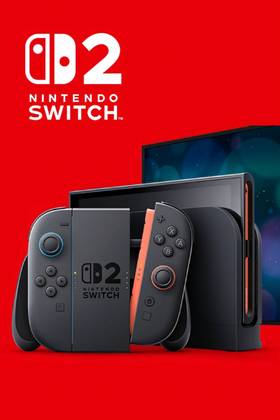
The Nintendo Switch 2 is a high-maintenance console, and some of its most notorious problems are related to ergonomics and prolonged use, so having the right accessories to prevent both console degradation and discomfort for the user is key to enjoying all of its features with relative ease.
This list addresses eight glaring problems with the Nintendo Switch 2, and showcases 8 accessories (and some alternatives) that can fix them, preventing damage to the console and bringing comfort and security to the user. Let's take a look at them.

Nintendo Switch 1 vs Switch 2: What’s the Difference?
For those with burning questions about the main differences between Nintendo Switch 1 & 2, here is a detailed comparation.
Weight Causes A Lot Of Fatigue
Fix With: Skull & Co. Savage Raven StandGrip
- Price Range: 20-26 USD
- Where to get: Amazon
For long, the main debate in handheld console designs has been 'miniaturization vs. Performance,' and the Switch 2 is no exception to the rule. With a bigger and heavier design, it certainly brings a lot of discomfort to the user when using it for a prolonged period of time. Users tend to rely on the console's charging base/TV Dock to avoid damaging their carpal tunnels, but that's also part of the problem.
Why have a handheld if you cannot use it leisurely? Various Accessories can help relieve the pain, enhance the ergonomics, and prevent the users from feeling discomfort when holding the Switch 2 for a long period of time. One is the Savage Raven StandGrip, by Skull & Co. This simple but smart design cover allows players to stand their console without using the fragile built-in stand arm, plus they are really comfortable. The alternative is the DOBE N-Switch 2 StandGrip, which is a bit sturdier and is designed for Case Protection. It prevents both damage to the console and allows players to have a more comfortable play experience.

Why These Nintendo Switch Games Likely Won't Be Compatible With Switch 2
The Nintendo Switch 2 will reportedly be backwards compatible with most Nintendo Switch 1 games, save for a certain few games players can expect.
Original Joy-Con Adapters Have Low Ergonomics
Fix With: DOBE FOMIS ELECTRONICS Grips for N-Switch 2

- Price Range: 12-13 USD
- Where to get: Amazon
The standard Joy-Con Adapters might be light, easy to carry, and relatively easy to install, but the problem is: they have near-zero ergonomics, and that hurts the hands that hold the control. Most players tend to replace them with alternative Joy-Con adapters, and the DOBE FOMIS ELECTRONICS Grips for N-Switch 2 are a cheap and reliable option for all of those who are tired of holding an uncomfortable rectangle in their hands.
Their design is the closest to the original Joy-Cons base adapter without unnecessary bulk, plus, provide a joystick-style hand lightweight handgrip for maximum comfort. Price ranges are relatively low, and some alternatives include the FANPL Switch 2 Joy-Con Grip and the GLDRAM SW2 Controller Grip, which are more or less in the same price range
Stick & Button Degradation Is Still A Problem
Fix With: Skull & Co CQC and FPS Thumb Grips
- Price Range: 10 USD (Thumb Grips) - 15-17 USD (Case Cover)
- Where to get:Amazon
Stick and button degradation remains a problem in the Nintendo Switch 2, even though they are far more resilient than the original or OLED models; these are not immune to degradation by use or drifting. To prevent this issue, it is recommended to use certain protective cases or silicon button covers that will extend the life of the Joy-Cons and also protect the case from accidental damage.
Skull & Co has a set of CQC and FPS Thumb Grips that can help deal with stick degradation; meanwhile, the Teyomi Hard Transparent Plastic Case Cover also protects the directional pad and regular buttons. Though these covers need to be removed and placed every time players want to detach the Joy-Cons.
Playing While Charging Is Uncomfortable
Fix With: Belkin Travel Case Pro
- Price Range: 99 USD
- Where to get: Belkin Store
Nintendo Switch 2 is bigger and better, but also less portable and more annoying to carry around. More so when players need to pick up their chargers and go around looking for a place where they can connect their consoles, its design, though, partially fixed the play-while-charging conundrum, adding an extra USB-C port to allow players to charge the console while they play (the one in the top).
Still, playing while charging remains an uncomfortable practice, and the slim kickstand on the back of the console is prone to breaking if players are not careful. There are various travel cases that allow players to carry the Nintendo Switch 2 base, but they're bulky, and again, they don't fix the issue. Players can pick up the Belkin Charging Travel Case Pro with a built-in Stand, which fixes two issues in one go. It's durable, light, and super comfortable. Plus, it has an integrated (and removable) 10K Power bank, which allows players to charge the console while it remains connected to the stand-dock. So, they can keep playing, and their battery will last at least 1.5x times longer. Additionally, it has all the advantages of a traditional travel case, including storage slots for up to 12 game cards.
Charging The Joy-Cons All The Time
Fix With: DOBE TNS-51110 Charging Cable
- Price Range: 10 - 15 USD
- Where to get: Amazon, Temu
Most of the time, Joy-Con batteries will outlive the console's, but it is extremely annoying when these start to die mid-game, so, to prevent that from happening, there are various models of Charging Cables that can supply energy while the console is docked.
The DOBE TNS-51110 Charging Cable is an affordable and reliable option, and it's compatible with various standard Joy-Con Grips, so players can plug and play with ease. Plus, they have reinforced cable sleeves, so there's no risk of them breaking anytime soon.

Nintendo Clarifies Switch 2 Dock Compatibility
Nintendo clarifies which of its systems the Nintendo Switch 2 dock is compatible with as the upcoming console's release day inches closer.
Mouse Adapters Have Terrible Ergonomics
Fix With: EJGAME Gaming Controller Mouse

- Price Range: 16-17 USD
- Where to get: Amazon
For those playing games like Overwatch, APEX Legends, or Warframe on Nintendo Switch 2 (or any other FPS/Shooter Game), there's a considerable issue when they try to play using the Joy-Con's mouse mode for long periods of time: fatigue, pain, and even carpal tunnel syndrome.
From the various mouse adapters, the EJGAME Gaming Controller Mouse Base presents an affordable solution to this particular issue. Its design is thought to be as similar to a regular gaming mouse as possible, considering ergonomics, weight, and portability (since these adapters are usually bothersome to carry around).
The Battery Doesn't Last Long
Fix With: Belkin 20 000 mAh (30 W) External Battery for N Switch

- Price Range: 50 USD
- Where to get: Belkin Store
Most of the Nintendo Switch users already know that the battery life is not something that has improved greatly since the last models of SW OLED were rolled out. Switch 2 has the same issue: Battery Life is barely any better than the previous iterations of the handheld. Having a reliable Power Bank (aka External Battery) somewhat fixes this issue. The problem is, as usual, portability.
From the various models going around in the market, the Belkin 20 000 mAh (30 W) External Battery for N Switch is among the best of the best in terms of price/quality ratio, and battery charge performance. All of that without significant bulk, which is also good to keep inside a travel case or side pocket. It extends the battery usage of the console up to three times. It also has several ports to charge various devices (like Joy-Cons). And another important detail to keep in mind: It complies with Hand luggage control regulations, since batteries tend to be discarded on Airports when they don't follow the rules, and that's a big no for those who enjoy traveling with their Switch.
Dock Tends To Overheat, Causing Damage To The Console
Fix With: IINE Switch 2 Cooling Fan

- Price Range: 25-28 USD
- Where to get: Amazon, Temu
The Switch 2 has significantly more power than the previous models of the console, and that also means that its hardware is going to be operating at maximum power. More so when the console is docked, which tends to overheat all the time. This is concerning, since overheating might lead to internal component damage if users are not careful.
Having a Dock Fan is a great help (early users of the PS5 system might remember this), and the IINE Switch 2 Cooling Fan is both affordable and offers great performance. It has a compact, efficient design, so it won't take up too much space on your TV Table. Its dual cooling fans are set to disperse the heat efficiently, without consuming too much power. The RGB Lights are a plus, but they can be turned off, since they are pretty to look at but consume extra power (which most users don't need).
- Brand
- Nintendo
- Original Release Date
- June 5, 2025
- Original MSRP (USD)
- $449.99
- Operating System
- Proprietary