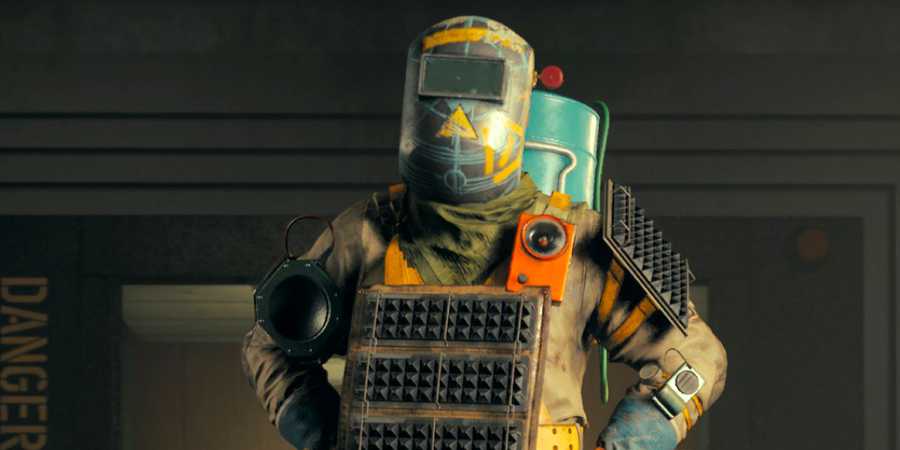
In FBC: Firebreak, Remedy Entertainment's first co-op multiplayer title, groups of up to three players can play together as they tackle anomalies and disturbances in the Oldest House. To play with friends, FBC: Firebreak offers a way to create a private party that players on all platforms can join, but you can also invite friends directly via your platform of choice.

8 Best Multiplayer Games That Get Better As You Play
These multiplayer games can be slow at first, but they're worth sticking with as they get better and better as players progress.
To play with friends, FBC: Firebreak players can follow this guide to learn how to create a private room or invite players on the same platform, how to generate a party code, and how FBC: Firebreak crossplay works.
Does FBC Firebreak Have Crossplay?
In FBC Firebreak, crossplay is enabled, so players can matchmake and form parties with others regardless of their platform. However, if you want to play with someone who is on a different platform, you cannot directly invite them to your party. You must create a private party, generate a room code, then share this code with your friends.
How To Play FBC Firebreak With Friends
There are two ways to play FBC Firebreak with friends: via a private group, or by inviting them directly to your party. If your friends play FBC Firebreak on a different platform than you (for example, you are on PC and your friend is on PlayStation 5), you will have to create a private group. If your friends have the same platform, you can invite them directly to your team via your platform's friends list.
Create A Party & Share The Code

To create a private party, FBC Firebreak players must load into the game, then open the "Party" tab on the top-right of the main menu. In the party screen, select "Create Party". After a few seconds, your private party will be created, but you must then generate a party code to invite others to your group.
- Go back into the Party menu
- Look on the bottom of the screen for the "Your Party Code" box
- Select "Generate" to create a six-digit code that others can use to join your group.

Games With Great PvE Multiplayer
Players searching for a great multiplayer game with strong PvE content have a lot of options to choose from. These are the best out now.
If you plan to play with one friend, keep the "Public Matchmaking" box ticked. If you plan to play with two others, unselect this so your friends can join without their space being taken by a random.
To join a private group, FBC Firebreak players must select "Join with Party Code", then copy and paste the six-digit Party Code that the host generated. After a brief moment, you should load into their game.
Invite Friends Directly On Shared Platforms
If you plan to play FBC Firebreak with friends on the same platform as you, simply invite them via your platform's friends list. Of course, to do this, you must add them as a friend on your platform's social service.
For example, on Steam, press Shift+Tab to open up the in-game Steam interface, then right-click your friend's profile and select "Invite to Game". After you invite them to your group, and after they accept the invitation, your friend should appear next to you on the setup screen.











- ESRB
- T For Teen // Violence, Blood
- Developer(s)
- Remedy Entertainment
- Engine
- Northlight Engine
- Multiplayer
- Online Co-Op
- Number of Players
- 1-3
- Genre(s)
- FPS
- Platform(s)
- PC, PlayStation 5, Xbox Series X, Xbox Series S