


When exploring the Mojave in Fallout: New Vegas, you will complete numerous quests and encounter many interesting characters. Similar to the Elder Scrolls franchise, people will react to you negatively if you enter their building or try to speak with them while holding your weapon.
Although the game does not provide instructions on how to holster your gun or melee weapon, it is possible to do so when needed. Putting your weapon away will create a more favorable impression of you, and people will not treat you as a threat or attack you outright. Here's how to holster your weapon in Fallout: New Vegas.

Running Alternatives for Fallout: New Vegas
You may have noticed that your character runs so slow compared to newer Fallout games. Here are all the running alternatives for Fallout: New Vegas.
How to Holster Your Weapon in Fallout: New Vegas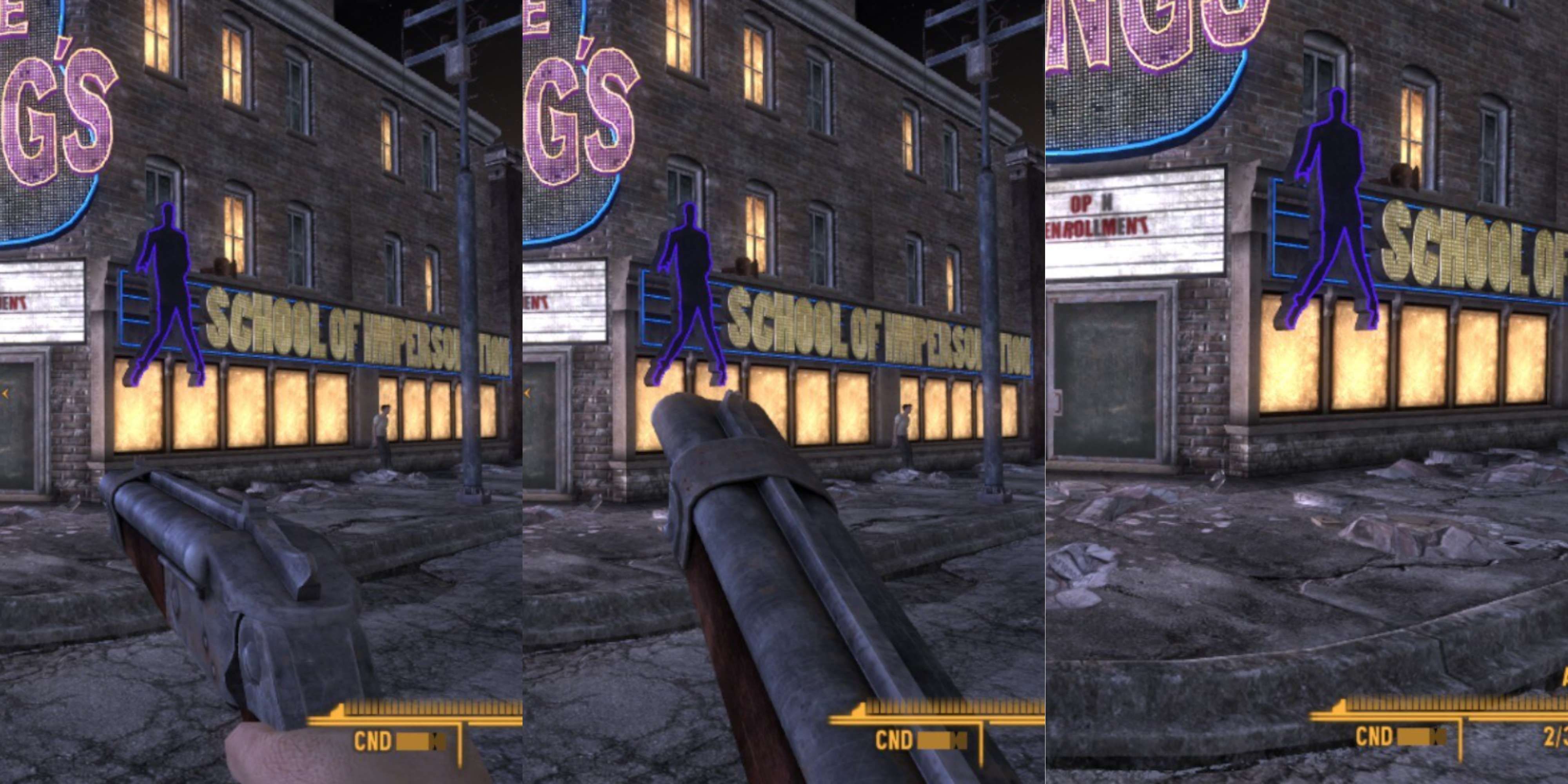
As mentioned above, there will be times when you need to holster your weapon. Otherwise, you won't be able to speak with NPCs, or they will attack you with little to no warning. An example of this action happens after you finish the GI Blues quest given to you by The King. When you approach the NCR faction troops, they will attack you if you don't holster your weapon, leading to an unfortunate series of consequences. Instead, if you holster your weapon, you can speak with Kieran, allowing you to progress the quest further without gaining negative karma and NCR infamy.
Luckily, you can holster your weapon by holding down a button you already use with weapons like guns from the Gun Runners Arsenal DLC. Press and hold down the Reload button to holster your weapon in Fallout: New Vegas. When the game recognizes this command, your character will perform the holster animation. You'll find that your melee weapon will be holstered on your left hip and your gun on your right.
Here are the default Reload buttons based on your platform:
- PC: R key
- PlayStation: Square button
- Xbox: X button
To draw your weapon from the holster, you can either press the Reload button again or the shoot/attack button.
Here is the default Shoot/Attack button based on your platform:
- PC: Left Mouse button
- PlayStation: R1 button
- Xbox: RT button

Alternatively, instead of using the Reload button method, you can also holster your weapon in Fallout: New Vegas by sitting down. This action will cause you to holster your weapon the same way as holding down the Reload button.
A final alternative to holster your weapon in Fallout: New Vegas is to unequip your weapon in the Weapons inventory section of your pip-boy, but this is not particularly practical if you intend on using it again in the near future.

Fallout: New Vegas

- Released
- October 19, 2010







