


Halloween fun is in full swing in Disney Dreamlight Valley. The game recently released Trick or Treat and the Haunted Floating Festival events to celebrate the spooky season. And now, players can get their hands on the new Vampire Teeth to give their characters a spooky look and get into the Halloween spirit.
Unlike most clothing items, you can get Vampire Teeth completely for free. And the best part is that claiming them only takes a few seconds. Here’s how you can grab your free Vampire Teeth in DDV.

The Haunted Floating Festival Event Guide In Disney Dreamlight Valley
Explore the Haunted Floating Festival and solve the tricky puzzles to get spooky rewards before the event ends in Disney Dreamlight Valley.
How to Get Free Vampire Teeth in Disney Dreamlight Valley
So to get your free Halloween-themed Vampire Teeth in Dreamlight Valley, you will need to enter a redemption code. The devs have been really generous with codes lately. Earlier this month, they shared some codes that gave players free furniture items and a headband. Now, there’s one to celebrate Halloween.
Here’s the code you need to use: VAMPIRETEETH2025
Make sure to type it in all capital letters (or better yet, simply copy and paste it) so you don’t make any mistakes.
How to Enter the Vampire Teeth Code in Dreamlight Valley

To enter a code, players will first have to go to the menu. From there, go to Settings and look for the ‘Help’ section on the left side of your screen. You will find it right above the ‘Save Game’ option. Now, click on Redemption Code, and a text box will appear where you will be able to type the code. Enter the code and click on ‘Claim' to get your Vampire Teeth for free.
It is important to note that, like most redemption codes, this one won’t be around forever. So claim it now before it expires.
After you enter the code, don’t worry if you don’t get your Vampire Teeth right away. They will be waiting for you in your mailbox. So head back home (the same house you spawn at when you load into the game) and check the mailbox outside. Open the first letter, claim your reward, and the Vampire Teeth are all yours.
How to Equip Vampire Teeth in Disney Dreamlight Valley

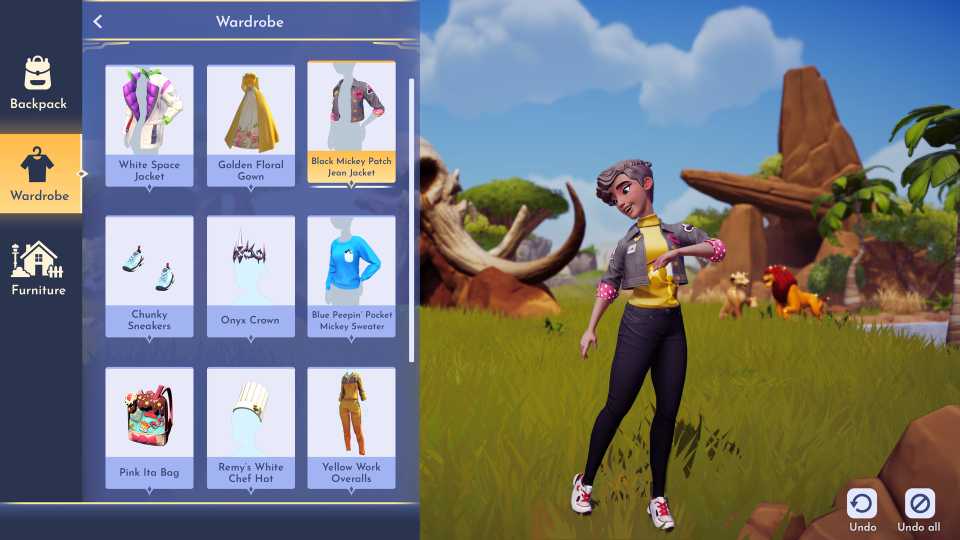
Once you’ve got your Vampire Teeth, it’s time to put them on. Open your inventory by pressing ‘I,’ then click on the ‘Wardrobe’ tab on the left. From there, you will need to go to the ‘Masks’ category and select your Vampire Teeth.






-
 OpenCritic Reviews
- Top Critic Avg: 75 /100 Critics Rec: 77%






WHERE TO PLAY






- Genre(s)
- Life Simulation, Casual
- Platform(s)
- PlayStation 5, PlayStation 4, Xbox Series X, Xbox Series S, Xbox One, Nintendo Switch, Nintendo Switch 2, PC, iOS
- OpenCritic Rating
- Strong
