


The latest installment in the Company of Heroes franchise is here, and it is even more spectacular, intense, and dramatic than its predecessors. Focussing on the Italian and North African campaigns of World War 2, players will command an army comprised of infantry, vehicles, and air support in order to battle over resources across a variety of interesting and dynamic maps.
For newer players, it can be difficult to know how best to approach these grand battles, as well as make use of Company of Heroes 3's various functions, which aren't always as obvious and accessible as they could be. The following tips will give players a head-start in their battlefield operations, and turn crushing defeats into emphatic victories.
8 Always Use Cover
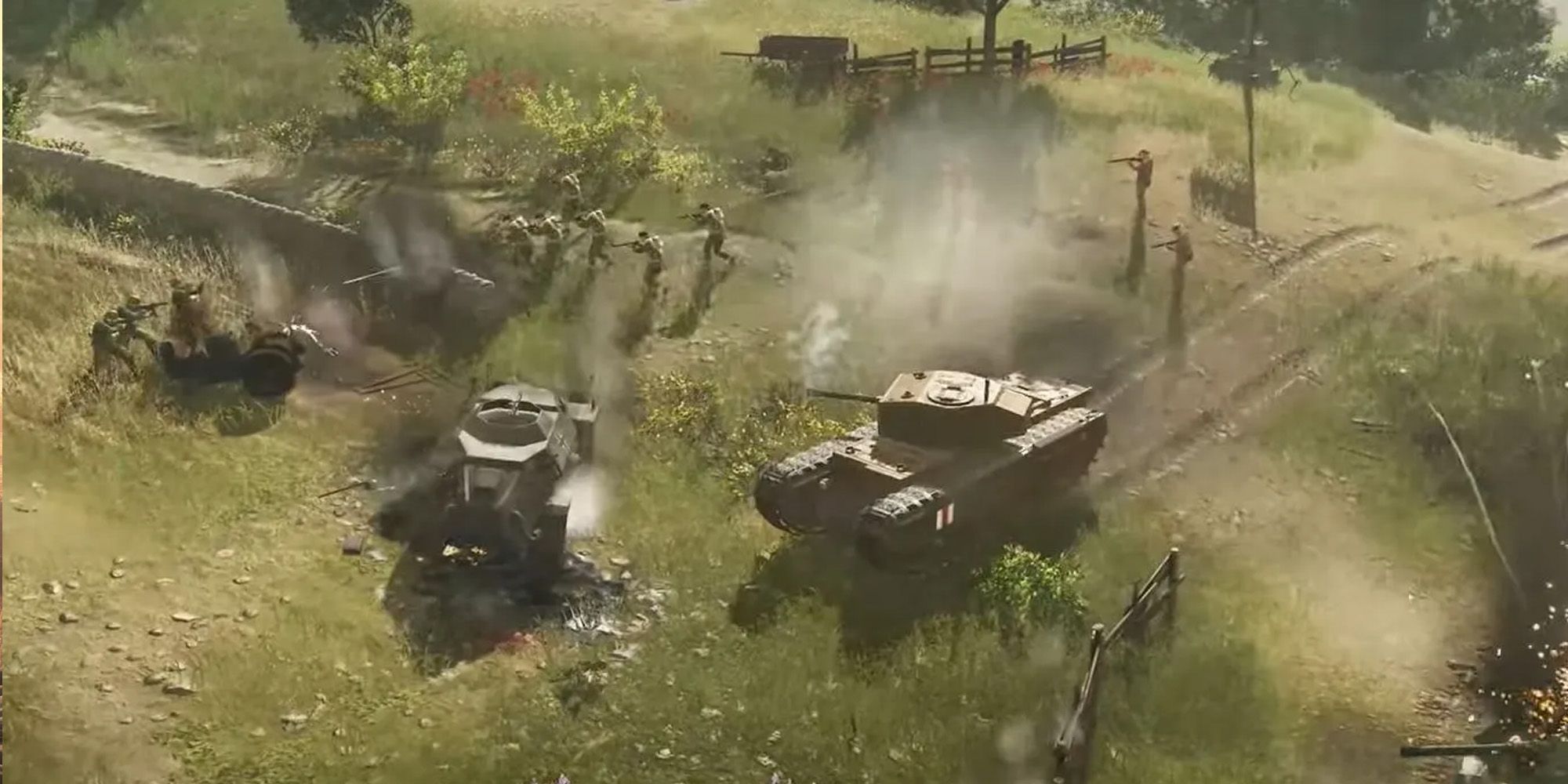
One noticeable difference in Company of Heroes 3 compared to its predecessors is the overall accuracy of troops. Leaving units exposed and out of cover is a guaranteed way to lose an even firefight, and even marginal cover is better than none. Buildings will provide the best protection for infantry units, followed by any cover that is marked with green squares when hovered near (with troops selected).
Yellow squares indicate weaker cover while white squares represent a lack of cover. Engineer squads can be used to construct sandbags and fighting positions if no cover is available, but this will take some time. Once constructed, any units will be able to use this, even if the engineer squad is wiped out. Bear in mind, though, that units in cover will become more vulnerable to fire and explosive damage, so watch out for enemy flamethrowers and Flammpanzer tanks!
7 Use Tactical Pause

When playing in single-player, it is possible to pause Company of Heroes 3 by pressing the spacebar while still retaining a view of the battlefield and the ability to issue commands. In shorter games with a lower victory points limit, this becomes essential as positioning, building, or reinforcing at the correct time can be the difference between victory and defeat in any game.
Utilizing this COH3 feature can buy players valuable time in order to assess the layout of the battlefield and avoid committing unwanted mistakes. This will also give newer players time to read the strengths and weaknesses of each Unit, Ability, Upgrade, and Battlegroup before committing them to production and to the field.
6 Capture Points Immediately

From the get-go of any battle, it is crucial to try to capture strategic points as early as possible. There are several types of points in the game, the first being victory points – these are indicated by a star on the map which will change either red or blue depending on whether the player or their enemy occupies it.
In addition to these, there are several other points that can be captured in order to gain resources. These points will start to generate one of two types of in-game currency: munitions and fuel. Munitions will enable more units to be produced, but fuel will also be needed in order to construct vehicles such as tanks.
Fuel is generally a more scarce commodity, making the capture of fuel points all the more essential. Keep in mind that captured points will need to be connected in order to deliver resources back to the HQ; if the supply chain is broken, no resources can be gained from the isolated capture points.
5 Construct New Buildings As Soon As Possible

From the headquarters building, it will be possible to construct more buildings by selecting them from the bottom-right panel beneath the regular units. These buildings will enable the construction of further units in Company of Heroes 3, as well as unlocking special abilities and upgrades. The first type of building will enable more advanced infantry units and weapons groups to be produced, such as mortar teams and anti-tank guns.
The second will generally enable the construction of specialized infantry such as snipers, along with some light vehicles, and the final type will enable the construction of heavy vehicles such as tanks. These buildings and what they can produce are slightly different depending on which faction you are using, so some factions will be able to access certain vehicle types earlier than others.
4 Build Resource Caches

When a capture point is under friendly control, it is possible to assign engineers to build Resource Caches around the base of the flagpole. These will generate additional resources as well as slow down the rate at which these points can be captured since the resource cache will need to be destroyed before its point can be captured.
If a capture point is safely inside friendly territory, it is a good idea to make use of it by constructing the resource cache wherever possible.
3 Use The Retreat/Reinforce Options

When any unit is selected, a number of available commands will be displayed in panels on the lower right-hand side of the UI. One such option is the 'Retreat' function, which when activated will send units sprinting back to their base with complete disregard for cover.
When this mode is active, units will sustain significantly less damage than if they were moving ordinarily or fighting from behind light cover. If a unit survives a retreat and returns to base, it can be reinforced and will retain all XP it has already acquired. This can be much more effective and time-efficient than training new units, and it will aid in contributing towards Veterancy bonuses.
2 Reverse Vehicles Out Of Danger

All vehicles in Company of Heroes 3 will suffer greater damage if attacked from the side or rear. Side hits are newly introduced and call for even greater positional awareness when arranging mechanized troops. Even the strongest of tanks can be destroyed by infantry units if caught facing the wrong way.
Fortunately, much like the "Retreat" function for infantry units, vehicles have a "Reverse" function which, for PC players, can be triggered with the hotkey "R." This will order units to immediately disengage and begin reversing from precarious situations, ensuring that side and rear armor remain well protected.
1 Use Battlegroups

At the start of any battle, a number of available "Battlegroups" will be displayed on the right-hand side of the screen. These can range from elite infantry and vehicles to air support and passive abilities. These units can be called into any point on the battlefield and feature units of particular historical significance such as the Gurkhaz and US Airborne.
Each faction will have a range of Battlegroups to choose from, so it is down to individual play-style which ones will work best. Units and abilities from these Battlegroups will have to be unlocked via a skill tree of sorts, with each one requiring Command Points in order to be purchased. Command Points are earned relative to the combined experience of your army across all its units, and will therefore be slow to generate at first, but become increasingly more available as the game goes on.
Company of Heroes 3 is available on PC.