


Apex Legends is a popular battle royale game that puts gamers in a shrinking circular zone where they fight each other to be the last team standing. As the game progresses, players scavenge for guns, armor, healing items, and other materials. Players can choose a legend at the beginning of the match, and each legend has different abilities.
Having said that, many players choose a silly name when they first start playing Apex Legends. Over time, most players get sick of their names and may want to try a cooler one. Luckily, the game offers a lot of customization, and players can choose any name of their choice whenever they want. For those who’ve had enough of their current in-game names in Apex Legends, this guide is here to help.
How to Change the In-Game Name in Apex Legends

Unlike some games where players can’t alter their in-game names or have to purchase a rename card, Apex Legends allows them to change it for free. However, the process is different for different platforms.
Xbox
- Press the Xbox button, choose ‘Profile and System,’ and click the gamertag.
- Now, click ‘My Profile’ and then choose ‘Customize Profile.’
- Here, players will be able to enter their new name in the gamertag box.
- After entering the new name, click the ‘Change Gamertag’ button to complete the process.
Steam
- Launch Steam, click the arrow next to the current profile name, and select ‘View My Profile.’
- This will take players to their profile page. Next, they should click ‘Edit Profile’ found under their Steam level and type their new name under the ‘General’ section.
- Once done, confirm it to save the new name.
Origin
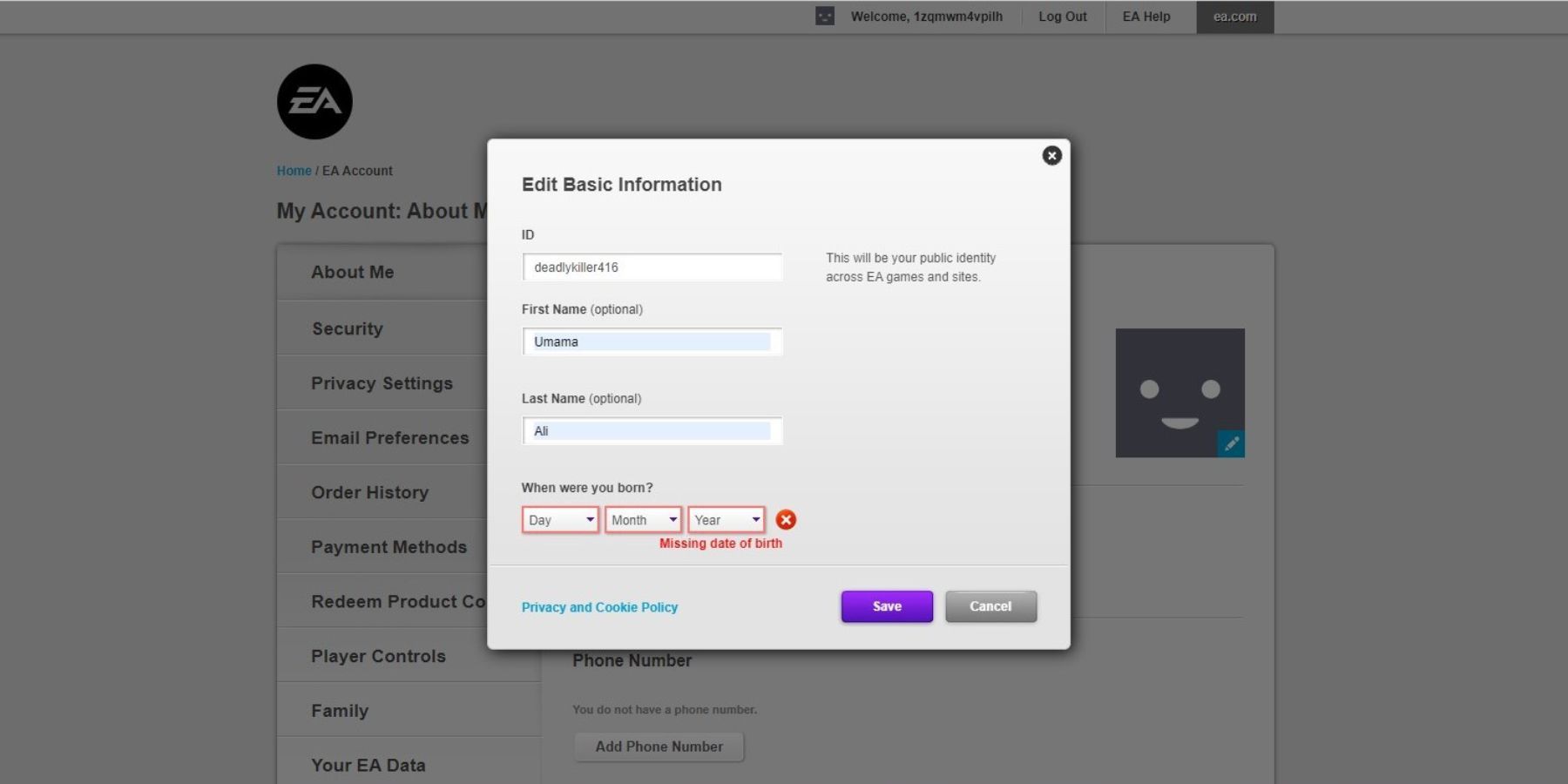
- Launch Origin.
- Click the arrow next to the ‘Profile’ icon and select ‘Settings.’
- Once there, players should click ‘Manage’ next to their account name under the ‘My Profile’ section.
- Next, click ‘Edit’ found right next to ‘Basic Information’ and enter the new name. Once done, click ‘Save’ to save the changes.
PlayStation
To change the in-game name in Apex Legends on PlayStation, follow these simple steps:
- Click ‘Settings’ in the main menu and choose ‘Users and Accounts.’
- Click ‘Profile’ in the ‘Account’ section and then ‘Online ID.’
- Here, players can enter their desired name and confirm it to change their Apex Legends name.
Nintendo Switch
- Gamers on Nintendo Switch should go to the main menu, press the profile icon, and choose ‘Profile.’
- Click the ‘Pencil’ icon, type the new name, and confirm it to save the changes.
.Apex Legends is available now for PC, PS4, PS5, Switch, Xbox One, and Xbox Series X.